
Getting Started
-
- Identity Provider (IdP): The Foundation of Sastrify Insights
- Uncover SaaS Usage and Shadow IT with Identity Provider (IdP) Discovery
- Integrating HRIS to Enrich Identities & Insights
- Admin Guide: Deploying the Sastrify Chrome Extension
- Admin Guide: Deploying the Sastrify Microsoft Edge Extension
- Manual Installation Guide: Sastrify Chrome Browser Extension
- Manual Installation Guide: Sastrify Edge Browser Extension
- Setting renewal dates & reminders
- Assigning & Modifying Subscription Owners
- Uploading & Managing Your SaaS Documents in Sastrify
- Sastrify App Support: Get Help & Give Feedback
- Sastrify's commitment to security and privacy standards
- Integrating HRIS to Enrich Identities & Insights
-
- Capturing Subscription Details with Contract AI
- Adding a New Subscription Manually
- Slack Integration: Bringing Sastrify into Your Internal Communication
- How to bulk upload your invoices
- Automating Document Uploads via Email Forwarding
- Managing Your Notification Preferences
- Tools and Spend Importer: Bulk Upload & Visualization
- Tool Matching: Aligning ERP Data with Your Inventory
- Managing Collaboration with Custom Tasks
- Task Automation: Standardizing and Automating Routine Actions
-
- Workflows: Automate procurement processes with consistency
- Requests: Streamline procurement process and internal approval
- Get Procurement Support for New Purchases and Renewals
- How to submit and track Procurement Requests via Jira Integration
- Scope of service: Custom benchmarking & contract review
- Scope of service: Negotiation & renewal support
- Scope of service: Custom SaaS Optimization Advisory
- Purchase your SaaS through the SastriMarket
-
- Connecting Your ERP & Accounting Software
- Spend Import: Validate and fine-tune your imported spend data
- Export spend data from Candis to Sastrify
- Export spend data from Spendesk to Sastrify
- Export spend data from Pleo to Sastrify
- Export spend data from Moss to Sastrify
- Export spend data from DATEV to Sastrify
- Export spend data from Ramp to Sastrify
-
- Configuring Authentication & Access
- User Management: Managing Users and Platform Roles
- Configuring Microsoft SSO Authentication
- Configuring Okta SSO Authentication
- Configuring JumpCloud SSO Authentication
- Configuring Cisco Duo SSO Authentication
- Configuring Cloudflare SSO Authentication
- Configuring OneLogin SSO Authentication
- Having trouble logging in?
- Understanding user roles and permissions
-
- Okta M2M Integration Guide
- Accounting & ERP: Connecting NetSuite to Sastrify
- Accounting & ERP: How to connect Quickbooks
- Accounting & ERP: How to connect Microsoft Dynamics 365
- Accounting & ERP: How to connect Workday ERP
- Accounting & ERP: How to integrate Pleo with Sastrify
- HRIS: Connecting Officient to Sastrify
-
- ERP & Accounting Integration FAQs
- SSO / IDP Discovery Integration FAQs
- Browser Extension FAQs
- HRIS Integration FAQs
- Usage Analytics FAQs
- Contract AI & Subscription Details FAQs
- Tools and Spend Importer FAQs
- Invoices FAQs
- Achieved Savings FAQs
- Form component guide for Sastrify form builder
- What is SaaS and Sastrify's scope of work?
- Who receives the renewal alerts or reminders?
- How does Sastrify work with currencies?
- Is the spend data from accounting export always up-to-date?
- How to work with benchmark prices
- When and how to involve Sastrify in a contract evaluation or negotiation?
- How does Sastrify interact with SaaS vendors?
- How do you handle confidentiality clauses in vendor contracts?
- Why is contract data essential for benchmarking and negotiation support?
Uploading & Managing Your SaaS Documents in Sastrify Print
Modified on: Wed, 11 Feb, 2026 at 7:54 PM
Sastrify acts as your single source of truth, consolidating all SaaS-related documentation into one centralized hub. By centralizing your contracts, MSAs, and invoices, you gain better oversight, smoother collaboration, and a more streamlined renewal process.
How to Find Your Document Repositories
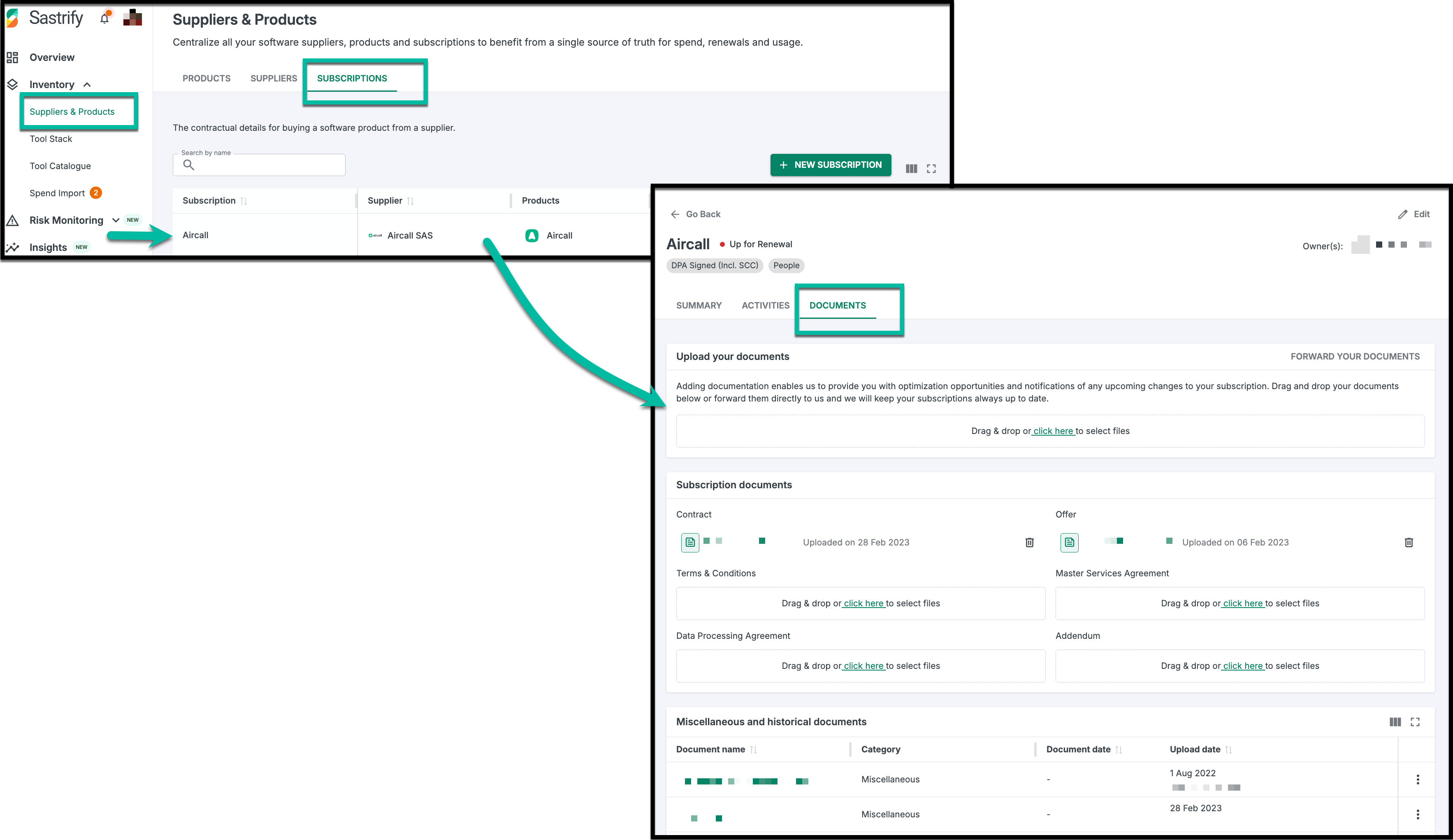
To manage files for a specific tool:
Go to Inventory > Suppliers & Products.
Select the Subscriptions tab.
Click on a specific Subscription and select the Documents tab.
Supported Document Types
Organize your files into categories to maintain a clean audit trail and trigger automated features:
Contracts: Primary agreements. Tip: Uploading here activates Contract AI, which automatically extracts key dates and data into your Summary tab.

Terms (T&Cs): General legal frameworks and service rules.
MSA: Master Service Agreements that govern multiple sub-contracts.
DPA: Data Processing Agreements (essential for GDPR compliance).
Offers: Quotes or renewal proposals to use as leverage in future negotiations.
Miscellaneous: Usage reports, implementation roadmaps, or setup screenshots.
How to Upload Documents
You can add documents using two simple methods: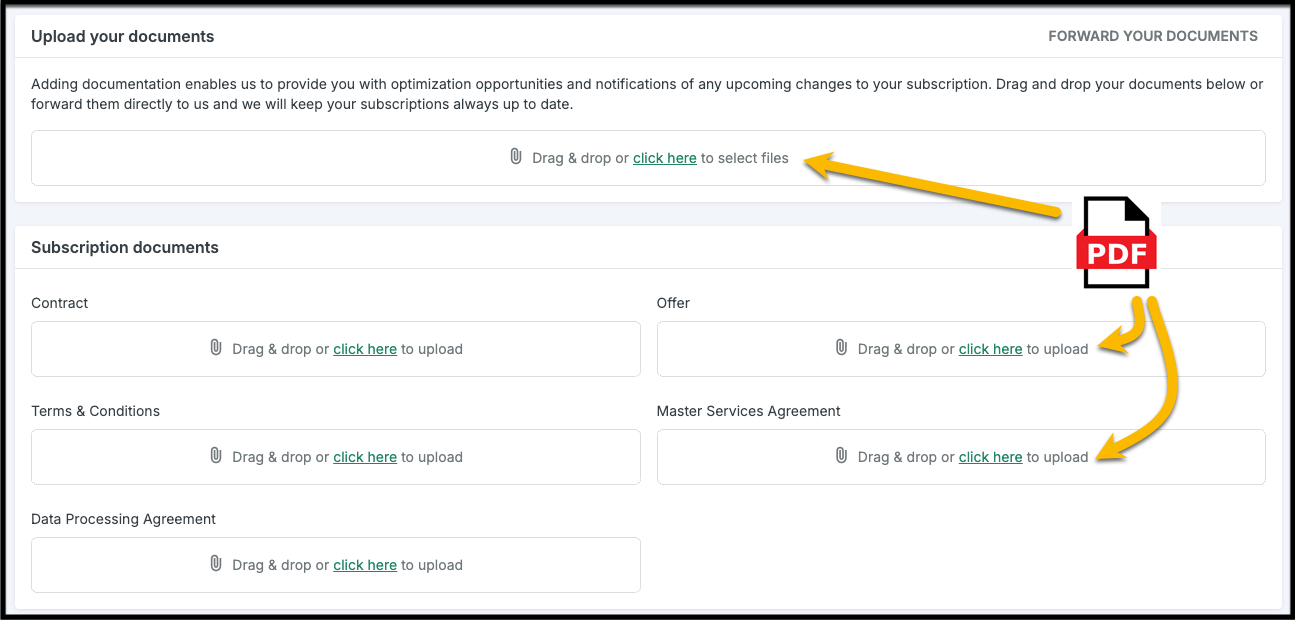
Drag & Drop: Pull a file directly into the designated category area.
Manual Upload: Click the area to browse and select a file from your local device.
Editing & Managing Files
To keep your library organized, we recommend naming files accurately, specifying the type, and assigning dates for better version control.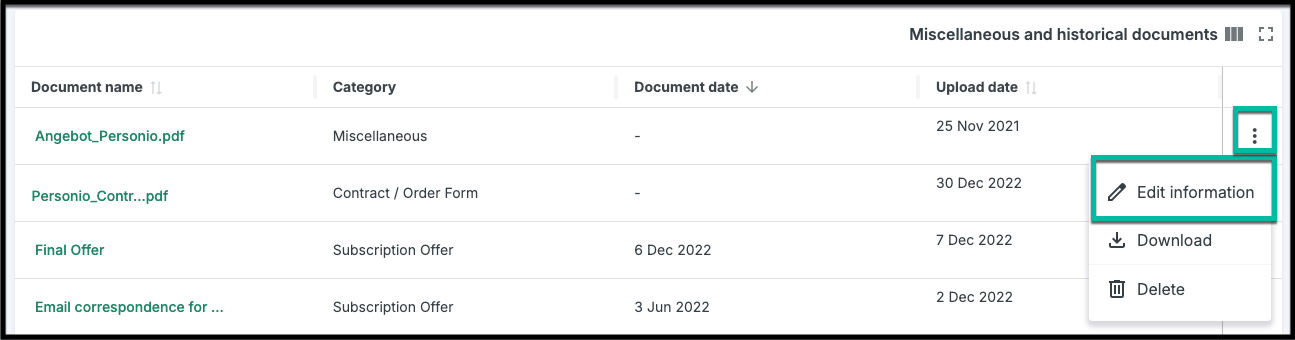
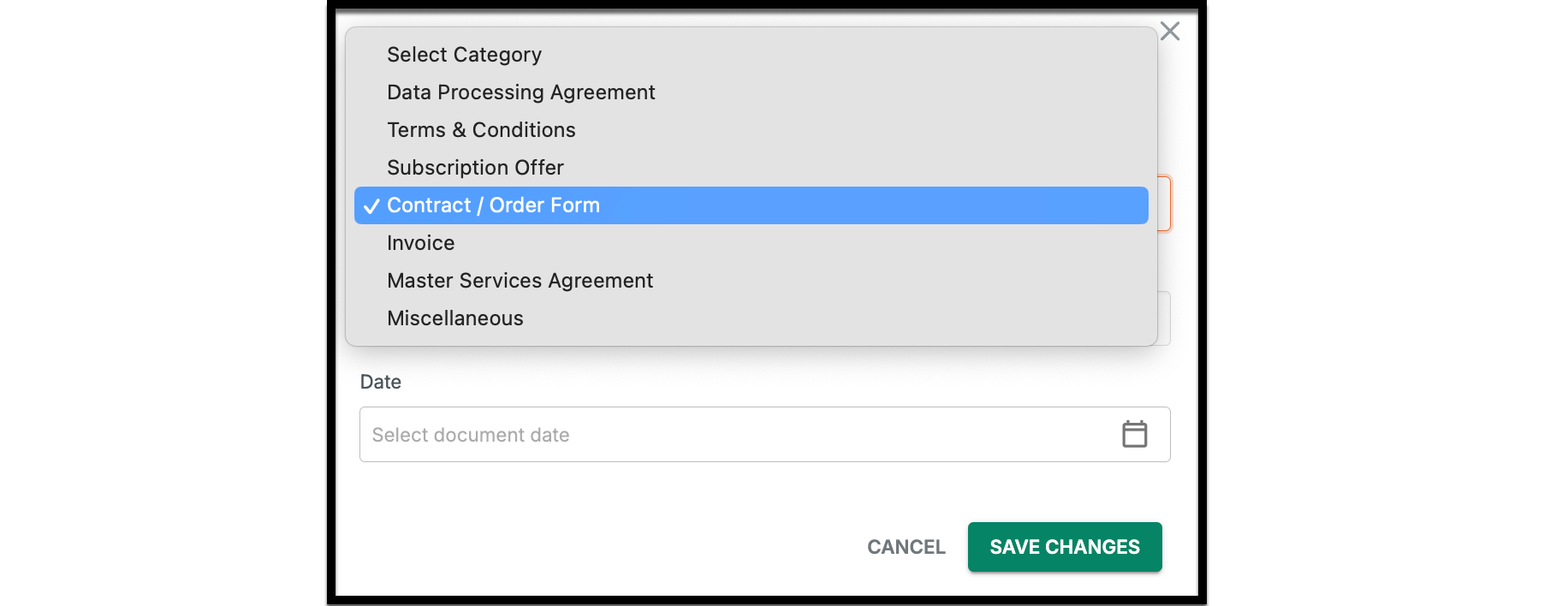
To Edit: Click the three-dot icon (⋮) next to any document > Edit Information > Update attributes > Save Changes.
To Download/Delete: Use the corresponding icons located on the right side of the document line item.
Best Practice: Always assign an accurate name and date to your documents. This ensures better version control and makes files searchable for your entire team.
Did you find it helpful? Yes No
Send feedback